
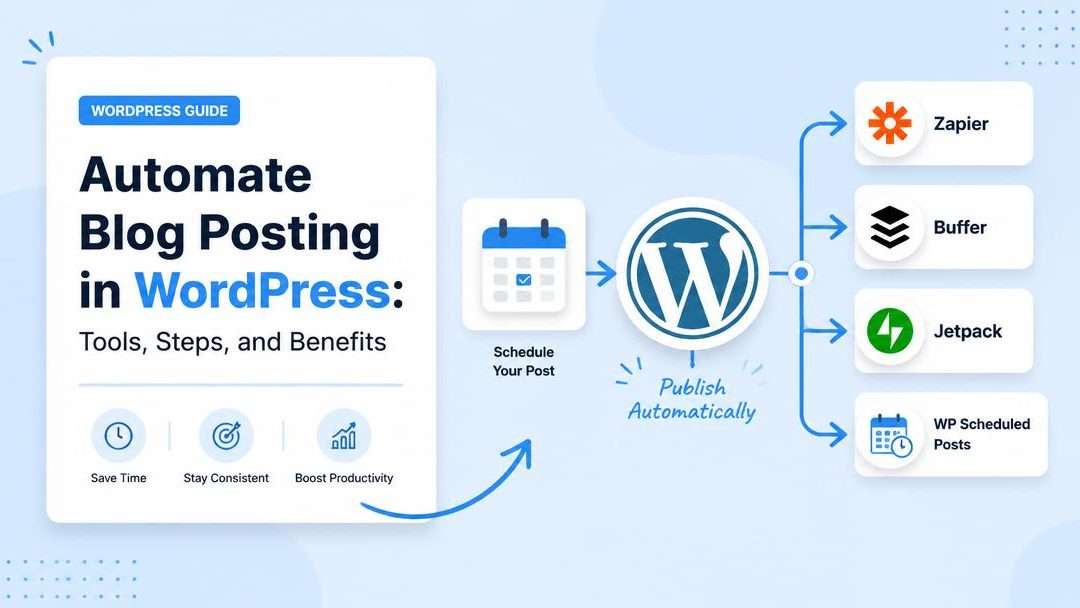
Struggling to keep up with publishing consistent content on your WordPress blog? Automating blog posts can revolutionize your workflow, allowing you to save time, reduce errors, and focus on enhancing your overall content strategy. Whether you’re a solo blogger or managing a team, automation ensures seamless scheduling and posting without constant manual intervention.
In this guide, you’ll discover essential tools, step-by-step instructions, and actionable tips to implement WordPress blog post automation. From boosting SEO through consistent delivery to using plugins tailored to your needs, learn how to simplify your digital content management and maximize efficiency.
Automating blog posting in WordPress is a powerful way to save time, streamline your workflow, and enhance efficiency in digital content management. Below are the key takeaways for achieving better results through blog post automation.
- Streamline workflows with automation tools: Tools like WordPress plugins and third-party platforms make content scheduling and publishing seamless and efficient.
- Save time by scheduling posts in advance: Use WordPress’s built-in scheduling features to organize and publish content automatically at optimal times.
- Enhance accuracy by reducing human error: Automation minimizes mistakes in post formatting, timing, and consistency, ensuring a polished final result.
- Boost SEO with consistent content delivery: Automated posting helps maintain a regular publishing rhythm, which enhances search engine visibility and engagement.
- Customize for your needs with advanced plugins: Explore plugins designed for automated posting to tailor your blog automation strategy to your unique workflow and goals.
These insights set the stage for a deeper dive into the tools, steps, and benefits of automating blog posting in WordPress, helping you optimize your content strategy effectively.
What Is Blog Automation in WordPress?
Blog automation in WordPress refers to leveraging tools and features that simplify the process of writing, scheduling, and publishing posts. It eliminates repetitive tasks, enabling content creators to focus on strategy and creativity instead of manual management. By automating processes, businesses improve efficiency in digital content management, maintain consistency, and ensure timely publishing for ongoing audience engagement.
Whether you are managing a single WordPress site or multiple blogs, automation offers a structured workflow, making it easier to meet deadlines and deploy content without errors.
Essential Tools for Automating Blog Posting
Automation in WordPress thrives with the support of specific plugins and third-party platforms. These tools cater to distinct needs, from scheduling posts to coordinating social media sharing.
WordPress Plugins for Automated Posting
WordPress offers built-in scheduling features and dedicated plugins to make automated posting easier. Here are a few top-rated options:
- Jetpack: A multi-functional plugin that includes scheduling and automated sharing features, ensuring broader reach and visibility once your posts go live.
- WP Scheduled Posts: Perfect for editorial calendars, this plugin simplifies planning and scheduling with an intuitive interface.
- Yoast SEO: While primarily an SEO plugin, its advanced integration helps optimize publication timings for search engines.
Third-Party Platforms for Enhanced Automation
Beyond WordPress plugins, platforms like Zapier and Buffer elevate automated content publishing. These tools integrate seamlessly with WordPress, enabling functionalities such as automated social sharing and linking workflows across apps:
- Zapier: Automates repetitive tasks by connecting WordPress with external apps like Google Drive, Mailchimp, and Slack.
- Buffer: Syncs your blog schedule with social sharing tools, ensuring posts are promoted consistently across platforms.
- IFTTT (If This Then That): Helps trigger specific actions, like sharing a blog post on Twitter automatically after publishing.
Step-by-Step Guide to Automate WordPress Blog Posts
Setting up automated blog posts in WordPress requires a blend of native tools and plugins. Below are actionable steps for beginners and advanced users alike.
Using the WordPress Scheduling Feature
To utilize WordPress’ built-in post scheduler:
- While editing a blog post, locate the “Publish” panel on the right-hand side.
- Click “Immediately” and select your preferred future date and time.
- Hit “Publish,” and your post will be queued for automatic release at the specified time.
This process ensures a streamlined timeline without the need for manual intervention. Using these publish scheduling tools is particularly handy for managing campaigns or international audiences across time zones.
Integrating Automation Plugins and Tools
To further enhance your workflow:
- Install an automation plugin like WP Scheduled Posts or Jetpack via the plugin directory.
- Configure settings to match your desired posting frequency, time zones, and content type.
- Test automation by scheduling a sample post and monitoring its performance.
Advanced bloggers can integrate tools like Zapier directly into their WordPress workflows, creating conditional workflows for both content publishing and audience alerts.
Benefits of Automating Blog Posts
From reducing manual workload to enhancing SEO, automating your WordPress blog posts offers invaluable advantages for modern content strategies.
Reducing Human Errors and Saving Time
Manual posting often leads to mistakes, including missed schedules, broken links, or inconsistent formatting. Automation minimizes these risks by ensuring every task follows pre-set rules. For instance, plugins can verify links and publish posts at precise times, removing the need for constant human oversight.
Additionally, automation allows teams to allocate more time to brainstorming ideas and improving creative quality rather than managing deadlines.
Improving SEO with Consistent Content Delivery
Consistency is critical for SEO strategies. Search engines reward sites that consistently deliver high-quality, relevant content. Automated posting keeps your blog active without requiring manual updates. By using SEO automation tools like Yoast or RankMath, you can further enhance your site rankings by aligning content scheduling with peak traffic times.
Moreover, regular publishing signals reliability to readers, boosting site engagement and loyalty while driving organic traffic.
Tips to Optimize Your Blog Post Automation Strategy
While automation improves productivity, optimizing your workflow ensures long-term success and scalability. Consider these tips:
Testing and Refining Your Workflow
An effective automation strategy evolves through regular testing. Monitor the performance of your automations, including post timings, link accuracy, and plugin efficiency. Some useful methods include:
- Reviewing analytics to identify the best days and times for publishing.
- Testing plugins or third-party tools for compatibility and performance.
- Soliciting audience feedback to understand their preference for content format and delivery time.
Lastly, keep an eye on emerging automation trends and updates in WordPress to stay ahead. For example, leveraging AI in content creation can further refine automated workflows by generating outlines or captions instantly.
Conclusion
Blog automation in WordPress revolutionizes the way content creators manage their workflows by eliminating repetitive tasks, enhancing efficiency, and maintaining publishing consistency. Through built-in tools, powerful plugins, and third-party platforms like Zapier and Buffer, users can streamline scheduling, optimize SEO, and improve audience engagement.
By pairing WordPress features with automation best practices—such as regular testing and leveraging emerging technologies like AI—content strategies can stay ahead in a competitive digital landscape. Whether you’re simplifying your editorial calendar or aligning content with peak traffic times, automation reduces errors while saving valuable time for creativity and growth.
Start exploring automation today to transform your content management approach. Ready to take the next step? Discover more about blog post scheduling tools and elevate your strategy.